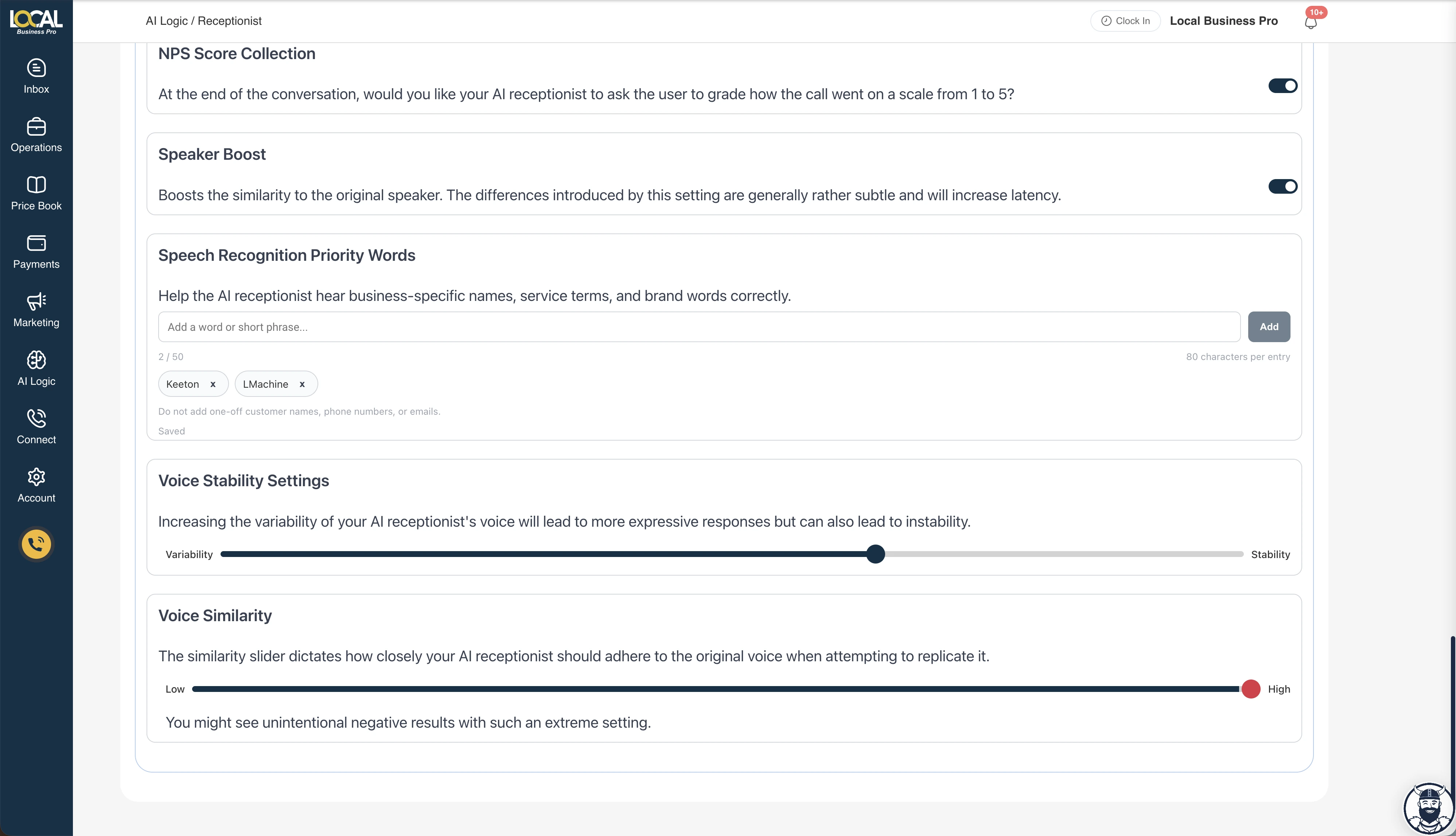
Home service calls are full of words generic speech systems can miss: team names, brand names, neighborhoods, equipment models, uncommon services, and trade-specific shorthand.
That is why Local Business Pro now includes Speech Recognition Priority Words for your AI receptionist.
What Speech Recognition Priority Words do
Speech Recognition Priority Words give the AI receptionist a short list of business-specific vocabulary to listen for during future calls.
Use them for words callers and your team say often, especially when a speech recognition system might confuse them with a more common word.
Good examples:
- Business or brand names
- Owner, dispatcher, or technician names
- Service terms customers ask about often
- Product names, equipment names, or branded packages
- Local phrases your callers use repeatedly
Bad examples:
- One-off customer names
- Phone numbers
- Email addresses
- Private notes or temporary call details
Those one-off details should still be captured during the conversation, confirmed back to the caller, and saved through the normal customer/contact flow. If a caller spells a name, email, or address, that confirmation is the stronger signal for that call. Priority words are durable business vocabulary, not temporary caller data.
Why this matters for AI phone calls
Every call starts with what the AI hears. Priority words give that first recognition pass useful context for recurring shop language before the receptionist decides what to ask or confirm next.
They do not guarantee perfect transcription, repair poor audio, or replace caller confirmation. Names, phone numbers, email addresses, service addresses, and other critical details should still be read back when accuracy matters.
Examples from real home-service vocabulary
The useful entries are the words that keep showing up—not every noun that has ever wandered through the office.
- Pest control: recurring pest names, treatment names, and branded service packages.
- HVAC: equipment brands, model families, and service-plan names customers say regularly.
- Electrical: company and dispatcher names, panel brands, and terms such as “whole-home surge protection.”
- Tree care: commonly misheard tree species, equipment terms, and crew surnames.
Those entries help with vocabulary your business expects to hear again. A new customer name, gate code, or one-time job note still belongs in that caller’s conversation and record.
Where to find it
Go to AI Logic / Receptionist and open your AI receptionist settings. Look for Speech Recognition Priority Words near the voice settings. Owners, admins, and support admins can update this business-level list.
Add a word or short phrase, press Add, and wait for the setting to show Saved. Changes apply to future calls after the setting is saved. They do not rewrite past recordings or transcripts. For the full setup walkthrough, see how to add and manage Priority Words.
Keep the list focused
The strongest lists are short and intentional.
Start with your brand, frequently used staff names, recurring service terms, or words the AI has misheard more than once.
You can save up to 50 words or short phrases, with a maximum of 80 characters per entry. Do not turn the list into a contact directory, script, prompt, or catch-all instruction box. Short and intentional wins here; apparently even software appreciates an organized toolbox.
Ready to Stop Losing Customers?
Have a recurring word your AI receptionist keeps hearing wrong? Add it, confirm the setting shows **Saved**, and test a future call.
Book a DemoThe bottom line
Speech Recognition Priority Words give operators a practical way to help the AI receptionist recognize the recurring vocabulary that matters to their business. It is a focused setting with a focused job: give future calls better context while keeping caller confirmation in the workflow.
See the Local Business Pro AI receptionist for the broader product workflow, or read the AI phone answering buyer’s guide for the questions worth asking before putting AI on the phones.